Legal practice management, AI and accounting for UK firms.
Legal practice management software for UK firms. Cited AI research, matter files, time recording and accounting stay connected, without retyping.

Integrates with


The connected workflow
From legal question to client invoice, without losing the thread.
Most firms use separate tools for research, matter files, time, and billing. Writford keeps every step connected to the same record.
Legal research
AI retrieves UK statutes and case law, drafts a cited answer, and awaits solicitor review before reliance.
- UK statutes & case law
- Paragraph-level citations
- Solicitor review gate
- Answer saved to matter
Client matterClient matter
02Time recordedTime recorded
03Client invoiceClient invoice
04Everything in one workspace
Research. Manage. Bill. Connected.
Writford is built around the way legal work actually moves through a firm: from legal question, to client matter, to recorded time, to invoice.
Research Intelligence
Cited UK research that stays attached to the matter.
Writford retrieves relevant UK legal sources, prepares a solicitor-reviewable answer, and keeps the authority visible. The answer can then be saved directly to the matter record with its sources intact.
- UK legal source retrieval
- Paragraph-level citations
- Solicitor review before reliance
- Research saved to matter
- Extended Thinking for complex issues
Risk & Compliance
AI Conflict Check, before the work begins.
The moment you open a matter, Writford screens both the client and the opposing party against every party your firm has ever acted for or against. A conflict you could never hold in memory is surfaced before you act on the instruction.
Screened across the whole firm
Both parties are checked against every client, former client and opponent your firm has ever recorded, across all matters and every fee-earner. Not just your own files.
Catches the matches people miss
Ltd or Limited, ampersands, abbreviations, typos, initials, and pasted accented names like Zenith and Zénith. Sound-alike names such as Catherine and Katherine are matched phonetically, with company numbers and emails checked too.
AI confirms, a solicitor decides
Amazon Nova reviews the borderline name matches and confirms whether two similar names are the same legal entity. It can strengthen a finding but never clears one. The judgement stays with a qualified solicitor.
Graded so you can triage
Every result is graded Definite, Potential or None, and each finding names who in the firm holds the conflicting record, so you know exactly who to speak to.
A warning you cannot miss
Screening runs automatically the moment a matter is created, and a persistent banner stays on every screen until a solicitor records a decision on the conflict.
Every decision on the record
Mark a match as not a conflict, record an own-interest conflict the firm cannot act on, or act for conflicting clients under an exception. For an exception it records which one you relied on, where the written consent is held, the safeguards, and the reviewer's reasoning, with who and when.
Screening runs automatically, and your firm's files are never used to train AI models.
See how conflict checking worksEverything in one workspace
One firm subscription.
Every tool your practice needs.
Writford is priced for small firm adoption. Your team shares usage and storage across solicitors, trainees, paralegals and admin staff.
AI Research
AI Research
- Cited UK legal research
- Paragraph-level source links
- Answer saved to matter
- Solicitor review before reliance
- UK statutes & case law retrieval
Extended Thinking
Extended Thinking
- Deep reasoning on complex issues
- Multi-step analysis chain
- Transparent thinking trace
- Toggle per query
Drafting & Documents
Drafting & Documents
- AI letter & contract drafting
- Document analysis (PDF / Word)
- Ask questions about any document
- Template library
Matter Management
Matter Management
- Matter overview dashboard
- Files & folder management
- Notes & key dates
- Conflict of interest records
Tasks & Dates
Tasks & Dates
- Key date tracking per matter
- Task creation & assignment
- Upcoming deadlines view
- Calendar reminders
Time Recording
Time Recording
- Live timer on any matter
- Draft time entries
- Manual time logging
- Billable / non-billable split
Billing & Invoices
Billing & Invoices
- WIP review & approval
- Invoice generation & PDF
- Aged debtor tracking
- VAT reporting
Email Integration
Email Integration
- Outlook (Microsoft 365) add-in
- AI draft & rewrite in inbox
- Link emails to matters
- One-click time capture
Cloud & Storage
Cloud & Storage
- OneDrive import
- Google Drive import
- Shared firm storage pool
- Drag & drop upload
Firm Dashboard
Firm Dashboard
- Usage overview
- Active matters count
- Time & billing performance
- Revenue & WIP summary
Firm Controls
Firm Controls
- Shared usage pool
- User roles & permissions
- Solicitor review workflows
- Invite & manage users
Account & Settings
Account & Settings
- Subscription management
- Billing & payment history
- Profile & preferences
- Integration settings
Security & Governance
Designed for solicitor-grade control.
Writford is built for sensitive legal work, where confidentiality, review, access control and auditability matter.
Your files are stored in the UK
Encrypted storage, controlled matter access and clear privacy terms protect your firm's content. Client material is never used to train AI models.
A solicitor signs off, not the AI
Answers arrive source-linked and wait for review. The AI can put a finding in front of you; it can never clear one.
Never used to train a model
Client files, prompts and answers are not training data. Your firm's material stays your firm's material.
Access that matches the role
A fee earner sees their own matters. A cashier sees every matter and can change none. Set once, applied everywhere.
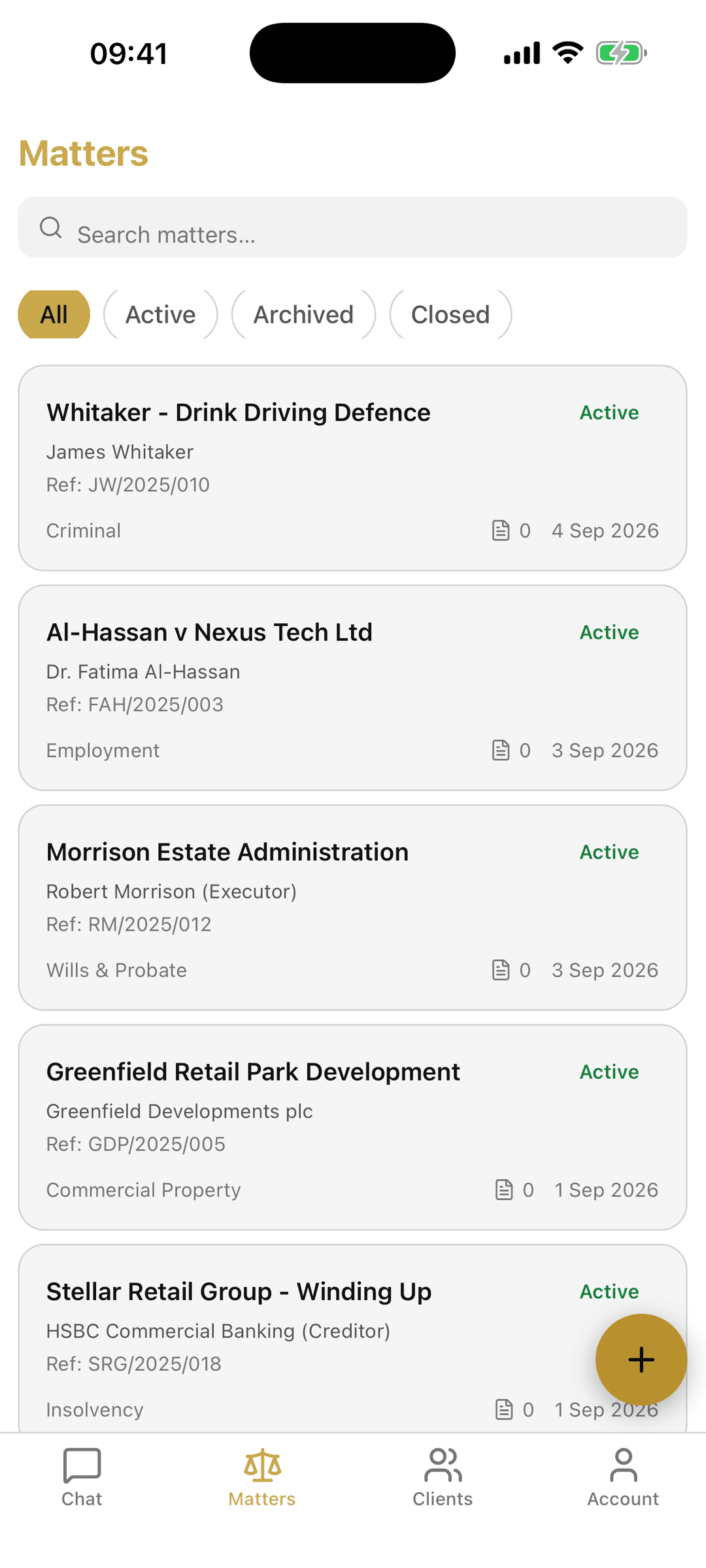
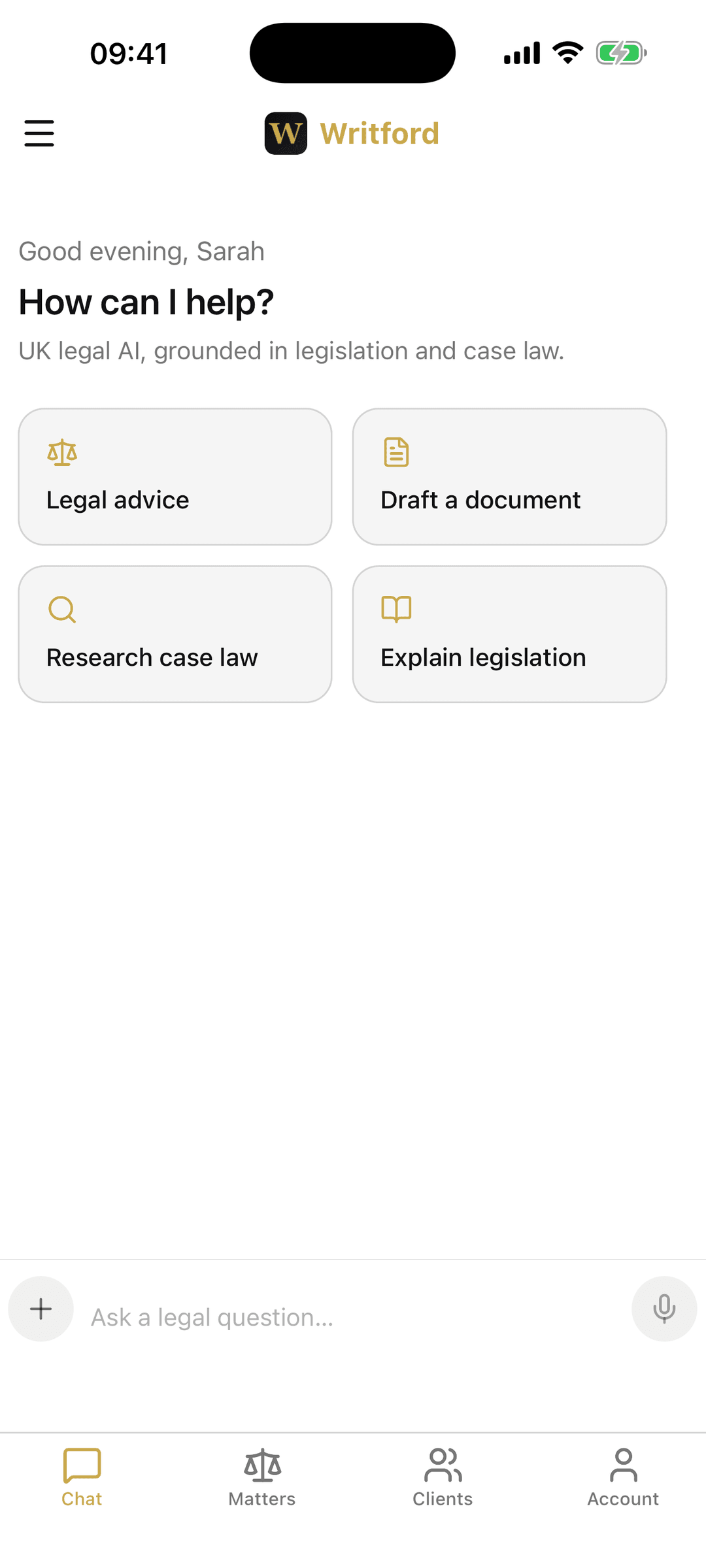
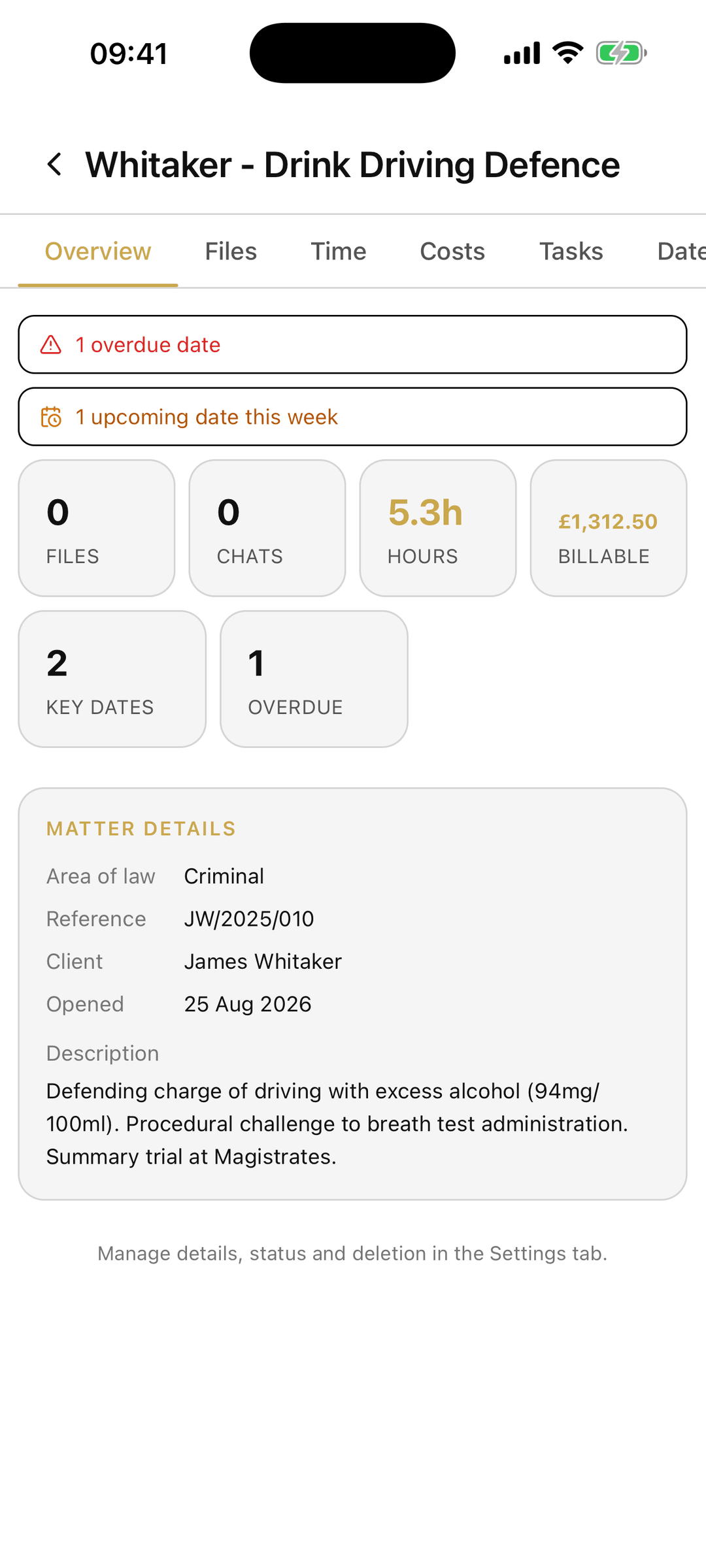
Now on iPhone and Android
Your practice, in your pocket.
The Writford mobile app brings cited UK legal AI, your matters and biometric-locked client files to your phone. The same account and the same data as the web app, wherever the work takes you.
- Cited UK legal AI chat, with Search and Extended Thinking
- Your full matter files, time, costs, tasks and key dates
- Biometric app lock, encrypted in transit, one account
Questions modern UK law firms ask before adopting AI
Writford is an AI legal workspace for UK solicitors and small firms: cited research from live UK sources, matter management, time recording and billing in one place. No training on client data, 14-day free trial.
What is Writford?
Is Writford built for UK law?
Can I rely on the AI output?
What happens to client data?
Is this just another chatbot?
Can my team use it together?
Can it help with billing?
How much does Writford cost?
Bring the legal question, the matter record and the invoice into one workspace.
Writford connects cited UK research, matter context, email, templates, time recording and billing for modern UK law firms.
- One firm workspaceEvery matter, file and ledger in the same place.
- Prices published in fullEvery plan and figure on one page, and a 14-day trial with no card.
- Shared usage and storagePooled across the firm, not rationed per person.